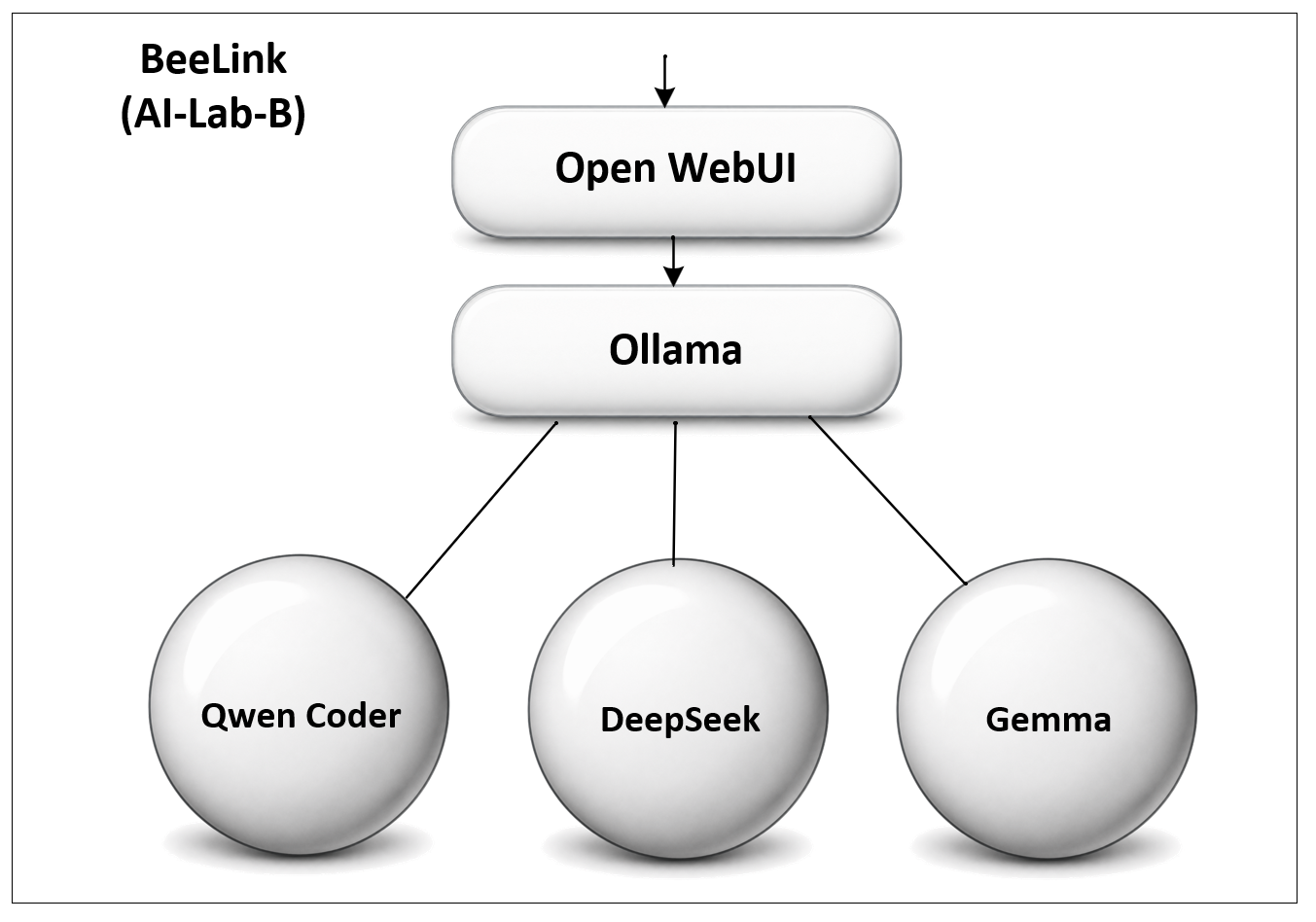
| Model | Size | Role | Status |
|---|---|---|---|
| Qwen2.5-Coder | 14B | Coding-oriented | Running on Node A |
| DeepSeek-R1 | 7B | Reasoning + web search | Running on Node A |
| Qwen3 | 8B | General conversational | Running on Node A |
| "Gwen" | — | General chat | Running on Node B |
| Gemma 3 | 12B | Vision-capable | Running on Node A |
Qwen2.5-Coder:14B
The first model installed on the lab's first node. A coding-oriented model — strong at writing and reasoning about code, but it noticeably leans toward structured, tool-call-style output even for casual questions in Open WebUI (see Engineering Notebook, Note 005).
Lesson learned
Coder models aren't automatically good everyday chatbots. Different jobs call for differently-tuned models.Qwen3:8b — the everyday conversational model
qwen3:8b is now the default general-purpose chat model on Node A, sized to run comfortably on the Beelink's 32 GB of RAM. qwen3:14b remains an option if more headroom is ever needed.
See a sample conversation with qwen3:8b — general trivia, a creative-writing test, and the model reasoning through some real Open WebUI tool calls.
Gemma 3:12b — the lab's first vision model
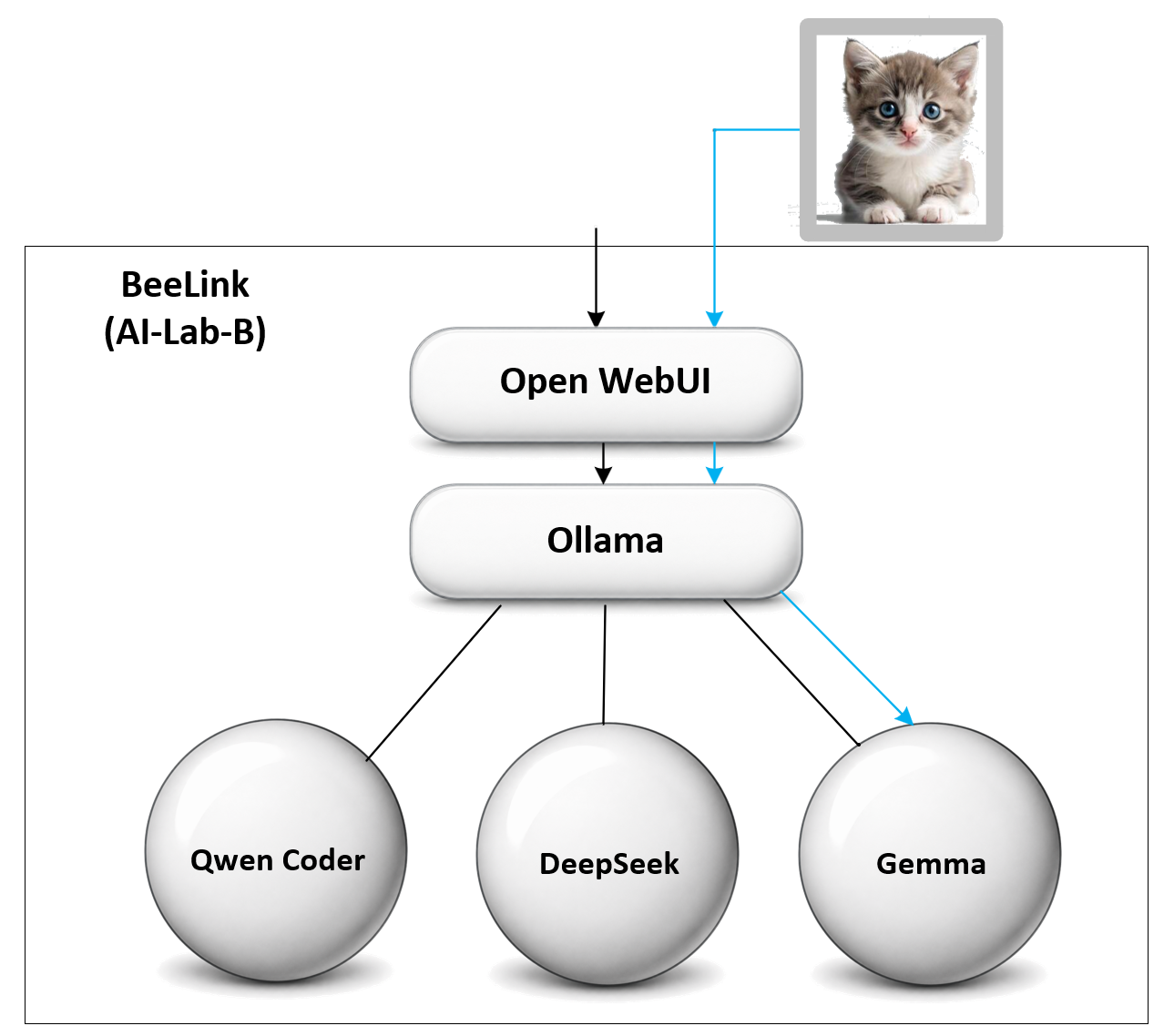
Added August 8, 2026 to Lab PC 2 (Node A), gemma3:12b is the lab's first vision-capable model — it can read an uploaded image, not just text. On a real photograph it was accurate and specific, correctly describing detail down to a chair leg at the edge of the frame. It's set to public so other lab members can select it too.
Lesson learned
New models inherit Open WebUI's full Builtin Tools defaults, which can be wrong for a model that doesn't support them. Gemma 3 has no tool-calling support, so its first image upload failed with a "does not support tools" error — that presented as a vision failure but wasn't one. Fixed by disabling the tool-related capabilities and keeping Vision, File Upload, and File Context enabled.One consequence worth noting: because Gemma 3 can't use tool calling at all, it can't be hooked up to Open WebUI's web search. The lab's vision model and its search-capable model have to stay separate models.
Choosing a model size
Rough guidance for hardware like the Beelink SER9 (32 GB RAM, no discrete GPU):
- 7B–9B — comfortable (e.g. Llama 3.1 8B, Mistral 7B, Gemma 2 9B)
- 13B–14B — feasible with 4-bit quantization, but slower
- 30B+ — will load, but crawls without a GPU to offload to