If the words "local LLM" mean nothing to you yet, you're in the right place. Here's the whole stack, boiled down to five layers:
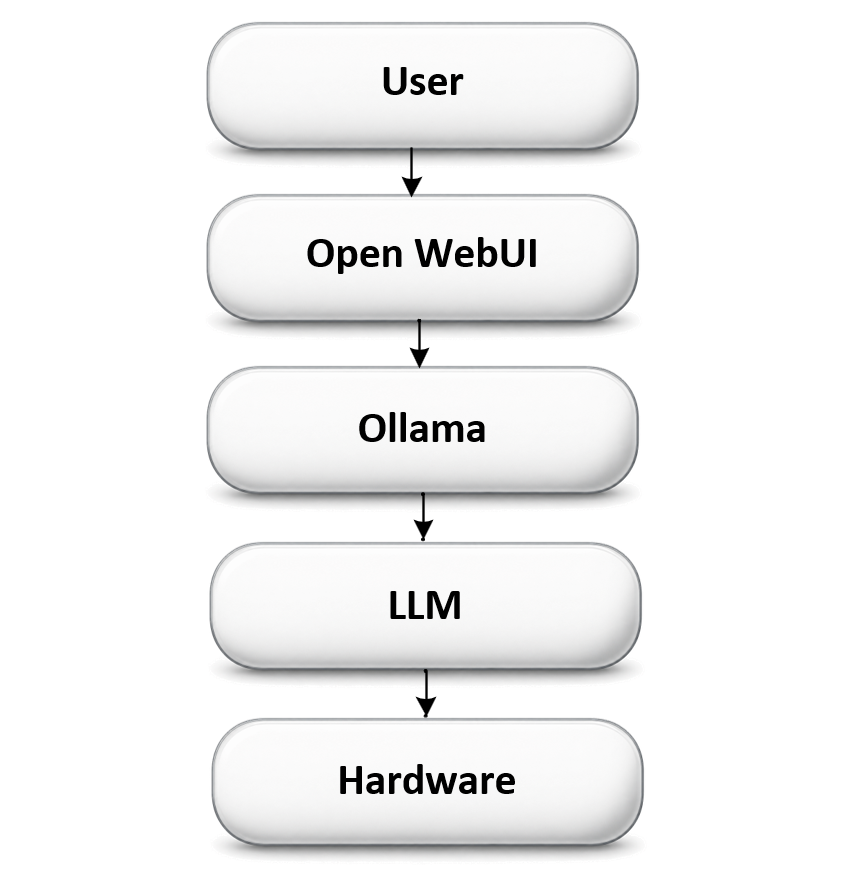
What each layer actually does
User
That's you. You type a question or a request.
Open WebUI
The chat window — a friendly browser page that looks a lot like any other AI chat app. It's the front end. It doesn't think; it just sends your message onward and displays the answer.
Ollama
The model manager and server. Ollama downloads AI models to your machine, loads them into memory, and runs them when asked. Think of it like a DVD player and a shelf of movie disks — each disk is a different model, Ollama is the player that loads whichever disk you pick and plays it, and Open WebUI is the TV screen you watch it on.
LLM
The actual AI model — a big pile of numbers trained to predict text — doing the "thinking" and generating the response. Different models are good at different things (see the Field Guide for coder vs. conversational models).
Hardware
The physical computer doing the math — CPU, GPU/NPU, RAM, and storage. Bigger, more capable hardware lets you run bigger, smarter models.
Why "local"?
Nothing here talks to the cloud. The model, the data, and the computation all stay on hardware right here in the lab. That means no subscription fees, full privacy, and the freedom to experiment — at the cost of being limited by whatever hardware is on the desk.Ready for more? Head to the Local LLM Field Guide for a deeper, diagram-heavy walkthrough, or jump straight to the Build Journal to see this stack running for real.